

A few days ago I noticed the spacebar on my Apple Magic Keyboard being mushy. It still registered presses, but it wouldn’t click like it was supposed to. I tried to live with it but I could notice it on every press, distracting my workflow.
So I decided to try to fix it myself. Little did I know how difficult it would be to remove and reattach one single key…
Removing the Spacebar Key
Removing the key was not too difficult. Slide a thin tool or a fingernail under the key around all sides, pull on it a bit and it detaches cleanly. I then cleaned it with a bit of isopropyl alcohol and left it to dry.
Reattaching the Spacebar Key
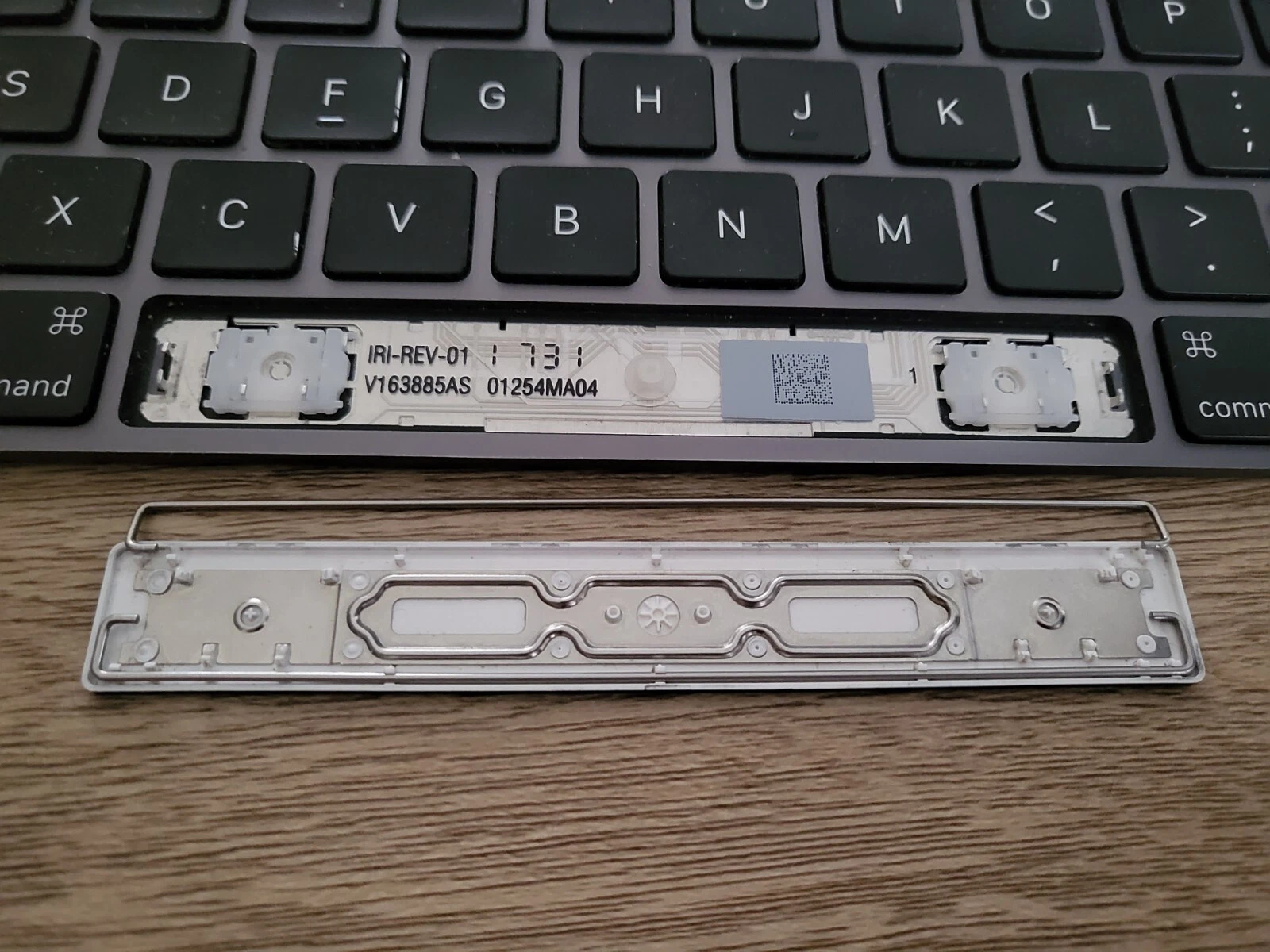 Here’s where the problems start. The spacebar key consists of 5 moving parts:
- The plastic key
- 2 metal brackets
- 2 plastic scissor mechanisms
Reattaching the spacebar is much more difficult than taking it off, as each of these parts needs to be precisely aligned. Otherwise, the key will not attach correctly.
It Won’t Reattach…
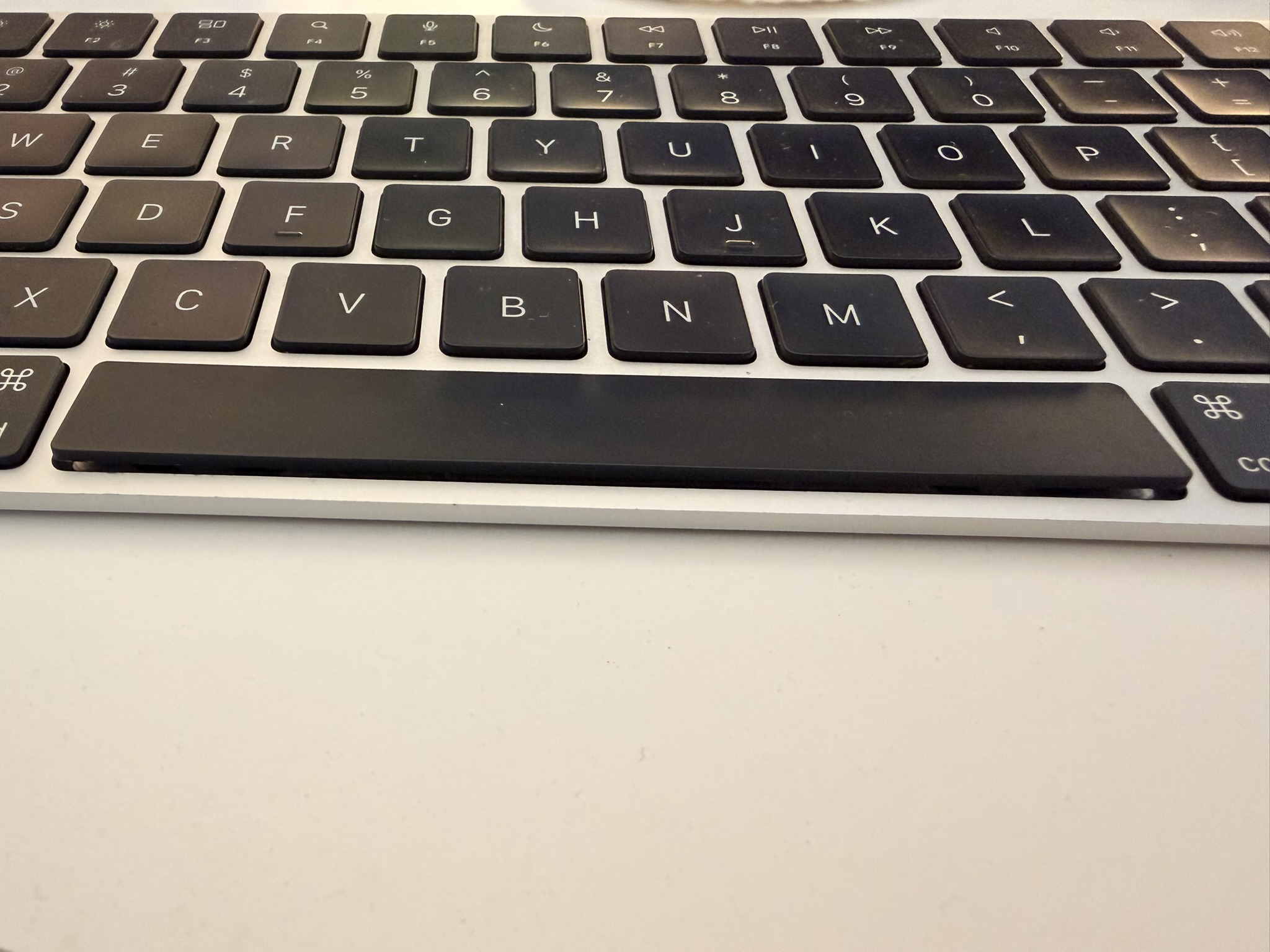
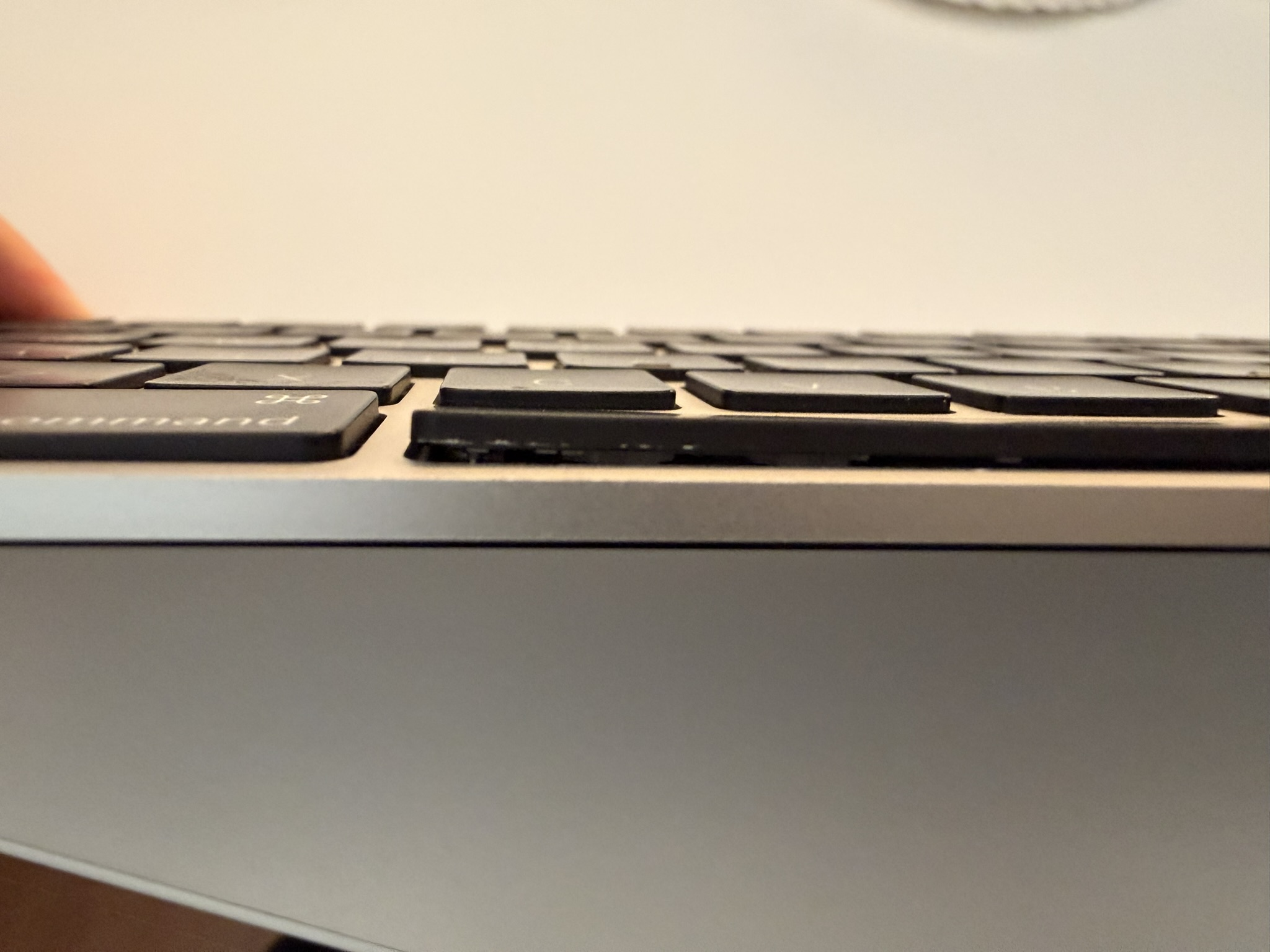
Again and again, I could not get the spacebar to attack properly. The top side clicks in cleanly, but the bottom is left unattached, and no amount of finesse or brute force makes it stick.
Bent Metal Bracket Hooks
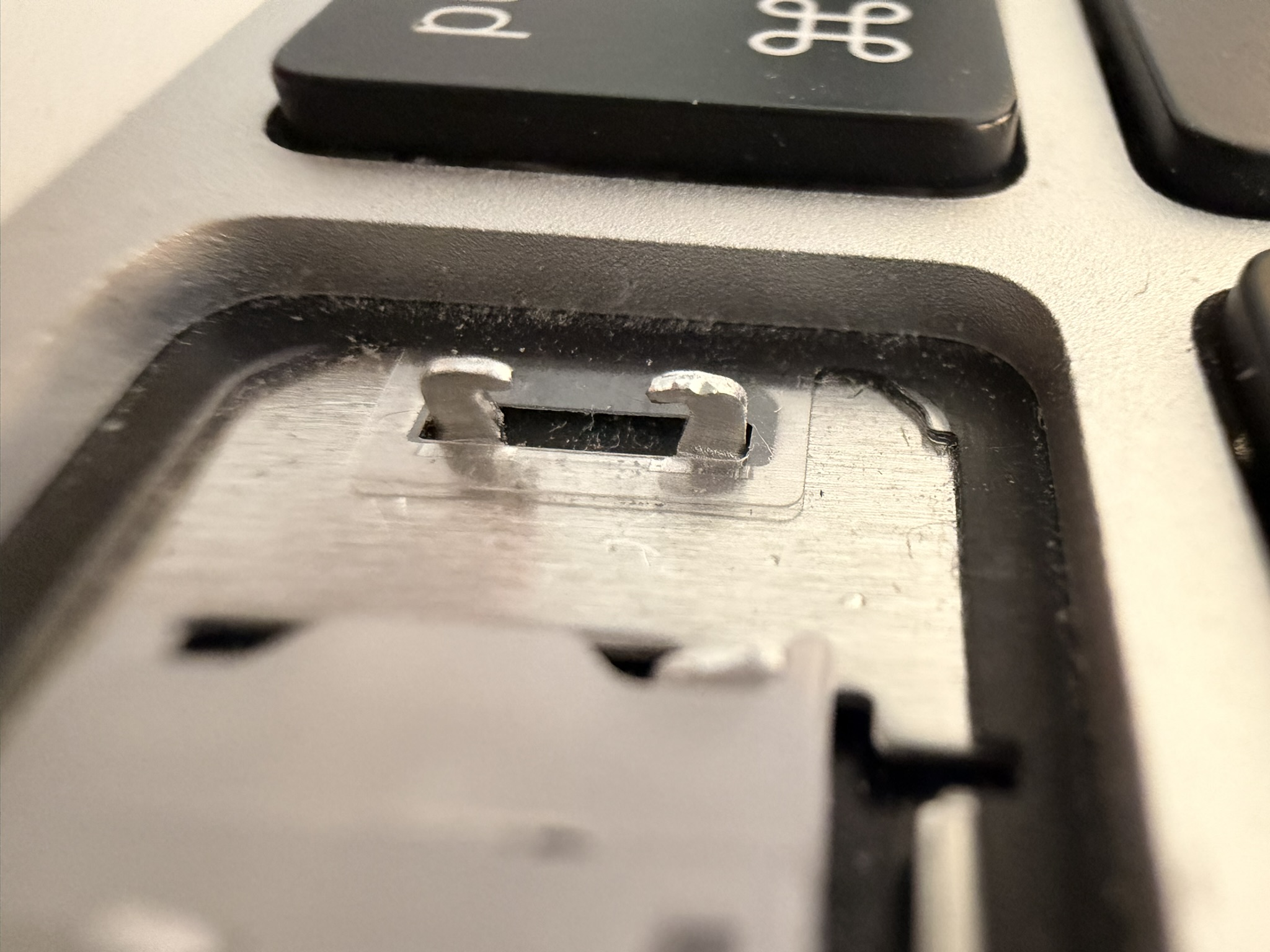
I identified the likely culprit as these metal bracket holders that seem to have bent at some point during all this. The metal brackets wouldn’t stay on, the fit had come loose. Figuring they needed to be adjusted, I took some pliers and carefully tried to bend them back in shape…
Broken Metal Bracket Hooks
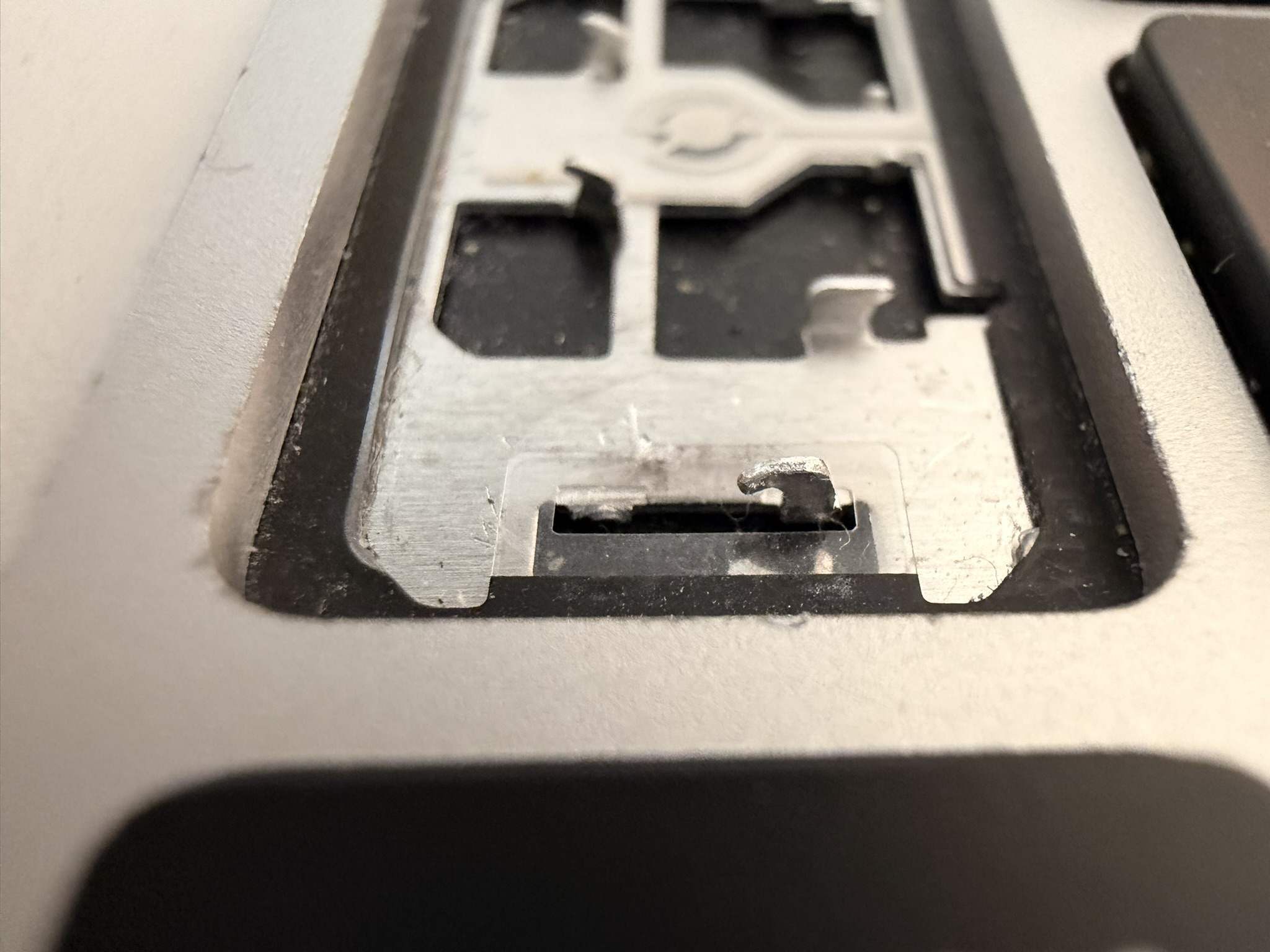
Oops… while I was able to adjust them, they were more fragile than I expected, and one of the hooks broke. At this point, I had struggled with the space bar for more than an hour. It was time to give up.
Lessons Learned
Disassembling Apple devices is easy. Reassembling them is a nightmare.